Offchain Governance
Astar offchain governance is hosted on OpenSquare Voting. ASTR holders can create and vote on proposals covering protocol improvements, dApp Staking listings and delistings, treasury funding requests, and other ecosystem decisions.
Voting power is determined by ASTR balance at the time a proposal snapshot is taken, and includes:
- Tokens transferable on Astar Native
- Tokens locked in dApp Staking on Astar Native
- Tokens transferable on Astar EVM
ASTR tokens used in DeFi smart contracts or in dApp Staking on Astar EVM do not count toward voting power.
Key links:
- Astar Forum: https://forum.astar.network/
- OpenSquare Voting: https://voting.opensquare.io/space/astar
A governance proposal follows three phases:
- Discussion: minimum 7 days on the Astar Forum
- Voting: 7 days on OpenSquare
- Execution: a few days to several weeks depending on complexity
Browse proposals
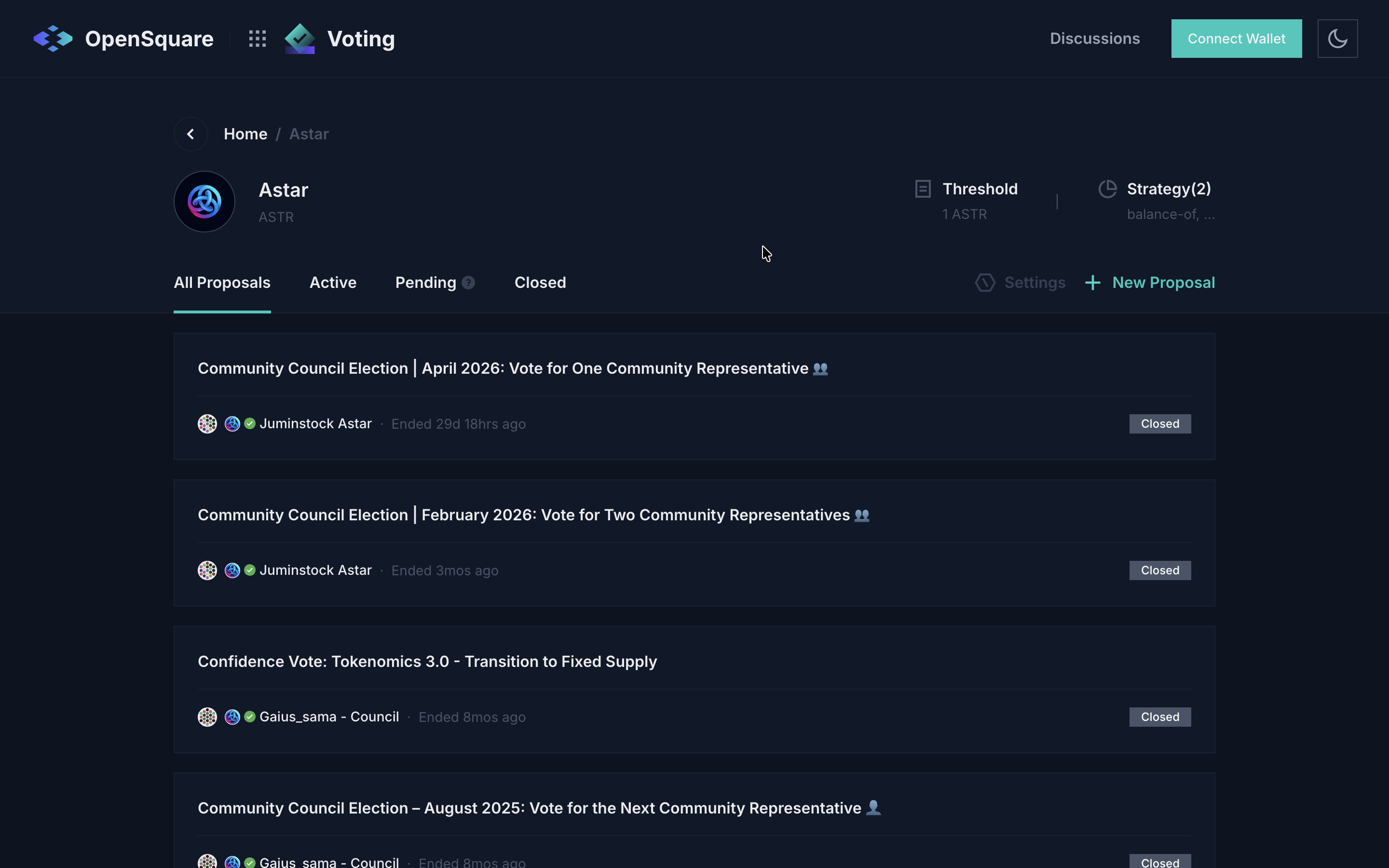
Visit voting.opensquare.io/space/astar to see all proposals. Use the tabs to filter by Active, Pending, or Closed.
Connect your wallet
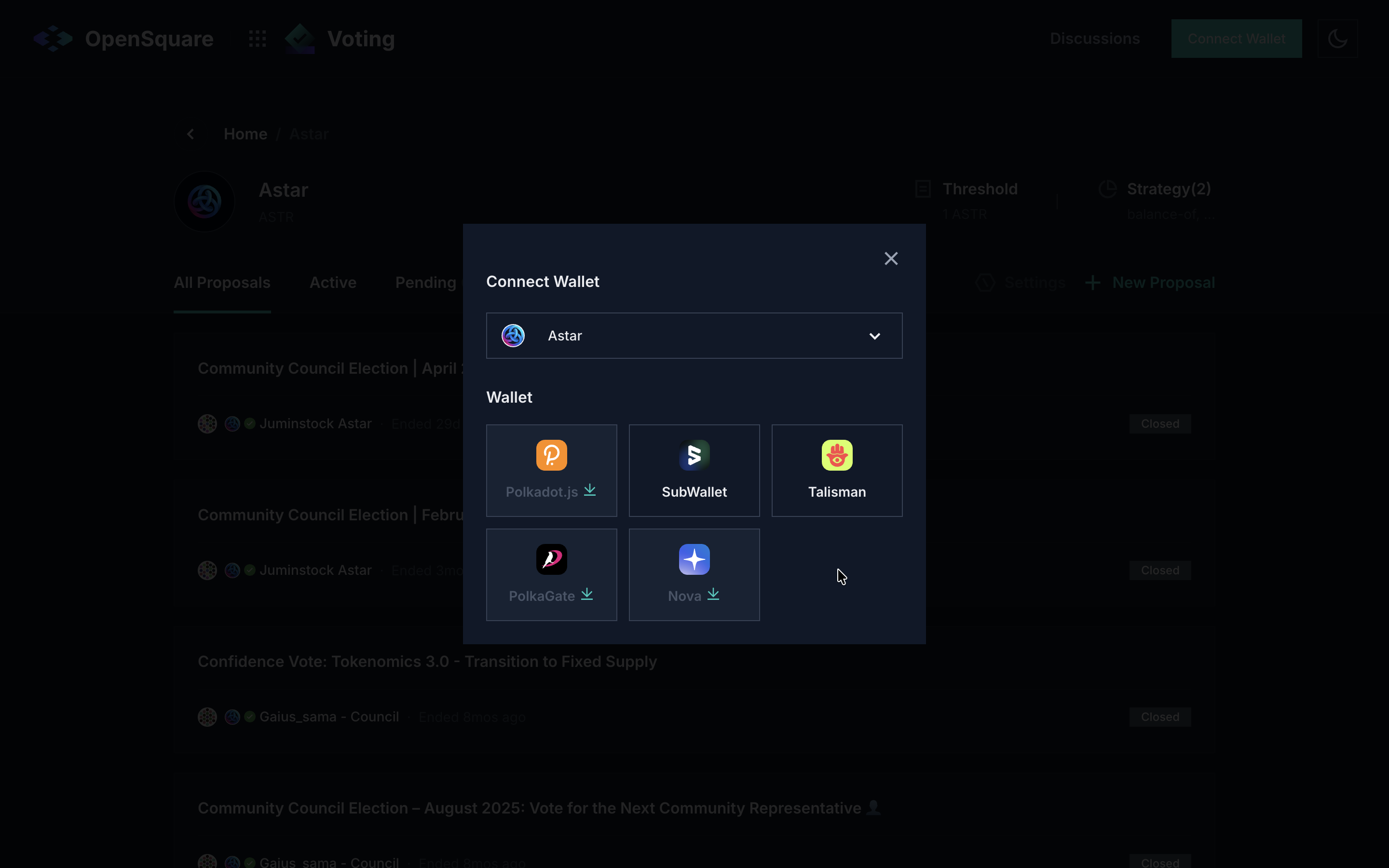
Click Connect Wallet in the top-right corner. Select Astar as the network, then choose your wallet (Polkadot.js, SubWallet, Talisman, PolkaGate, or Nova).
1. Start a forum discussion
All governance proposals begin with a public discussion on the Astar Forum for a minimum of 7 days.
- Log in or register on the Astar Forum
- Click + New topic
- Enter a clear title and choose the appropriate category (
Astar Network Polkadot,Astar Initiatives,Shiden, etc.). Add theProposaltag - Write your proposal with all relevant information to help the community make an informed decision
- Click + Create topic
Examples of past proposals:
2. Create a proposal on OpenSquare
After the 7-day discussion period, create a governance proposal on OpenSquare for a 7-day vote.
2.1 Open the proposal form
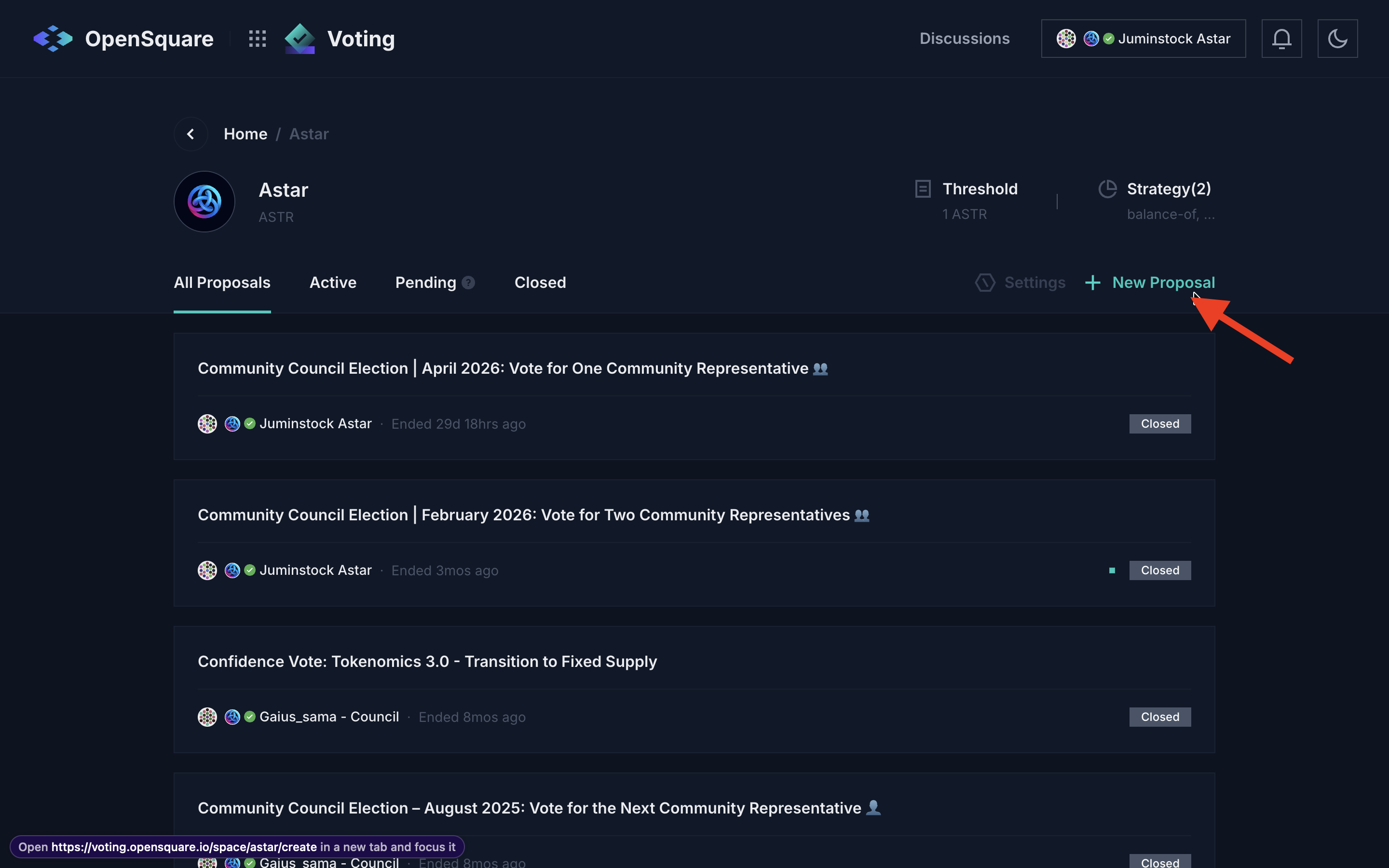
On the Astar space page, click + New Proposal in the top-right area.
2.2 Fill in the title and description
Enter a concise Title and write the full proposal content in the Proposal field. Include a link to your Astar Forum thread so voters can read the full discussion.
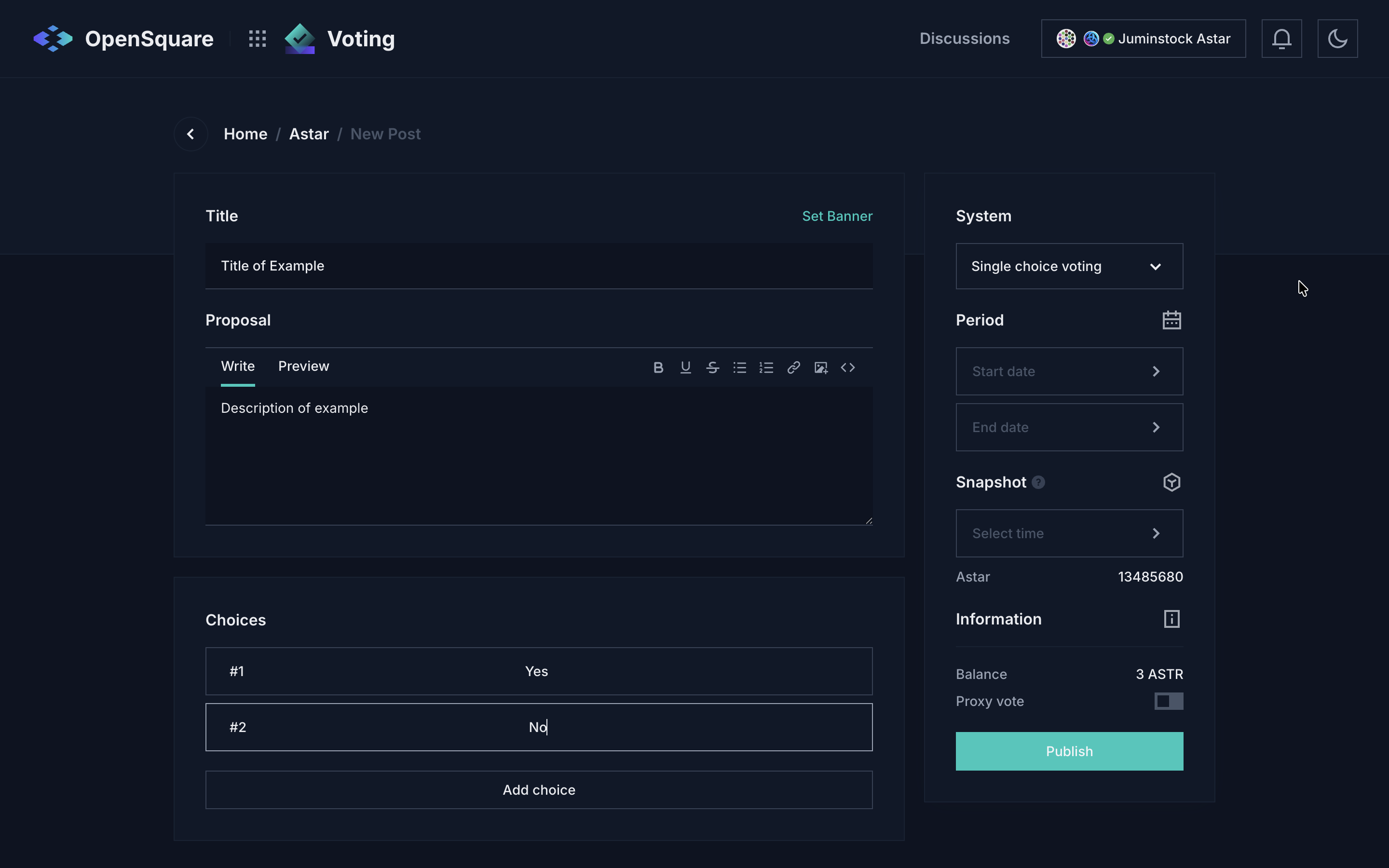
The Choices section comes pre-filled with Yes and No. You can add more options with + Add choice if your proposal requires it.
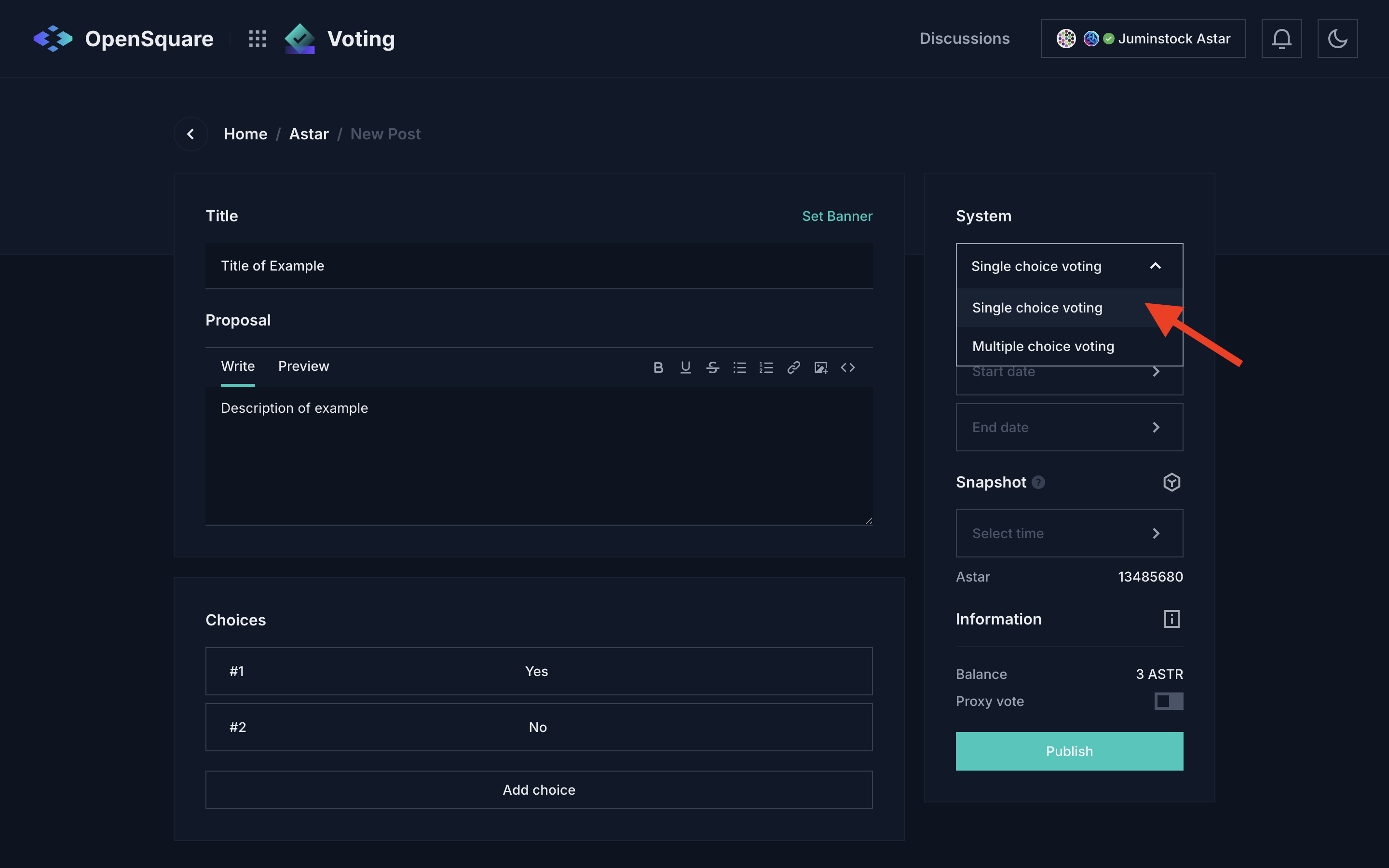
2.3 Select a voting type
In the System panel on the right, open the voting type dropdown and choose:
- Single choice voting: each voter picks one option (most common)
- Multiple choice voting: voters can select more than one option
2.4 Set the voting period and snapshot
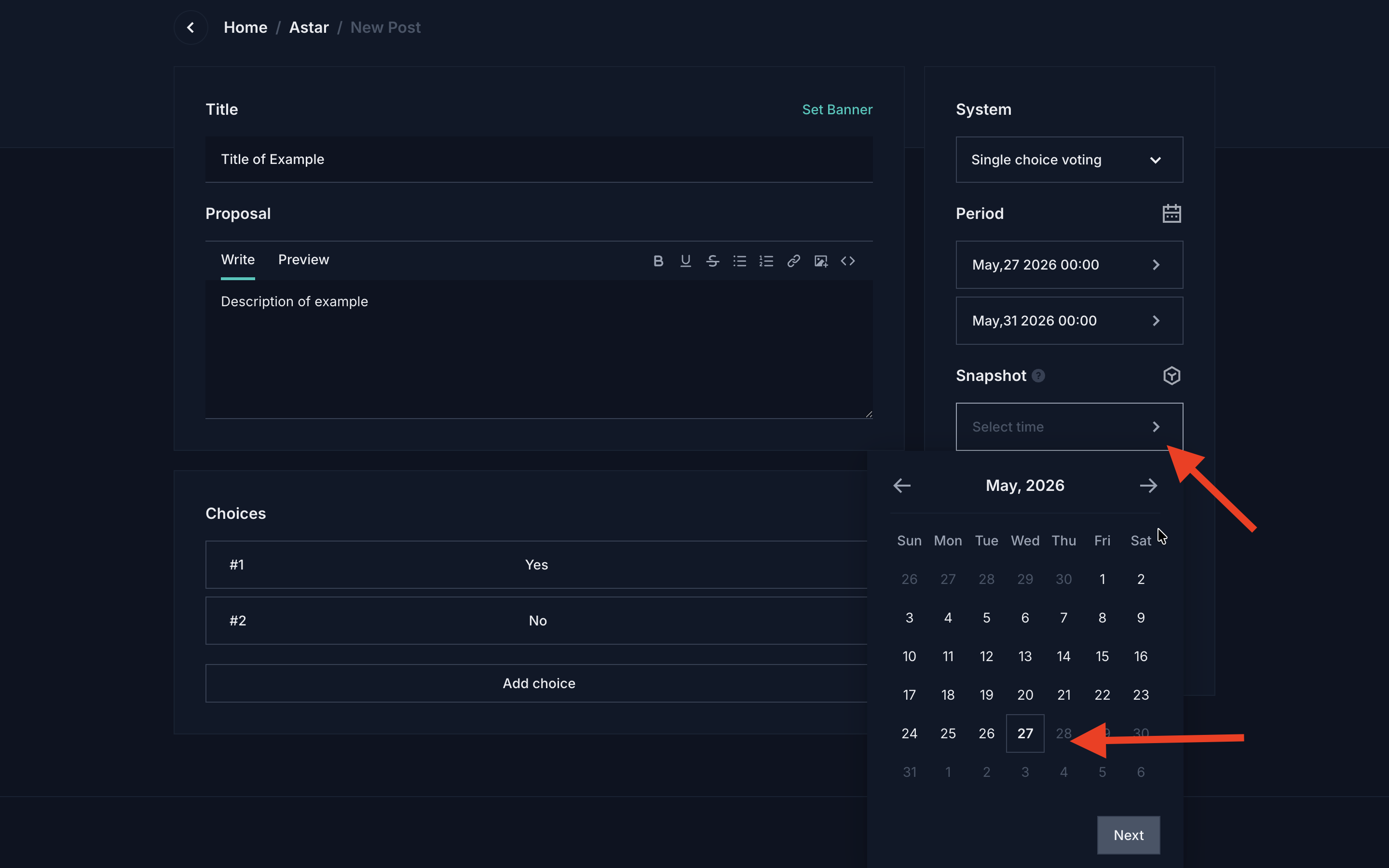
In the Period section, set the Start and End dates for the voting window. The recommended voting period is 7 days.
The Snapshot field captures the Astar block number used to calculate voting power. Click the calendar icon to select the snapshot date; the corresponding block number will be filled in automatically.
2.5 Publish the proposal
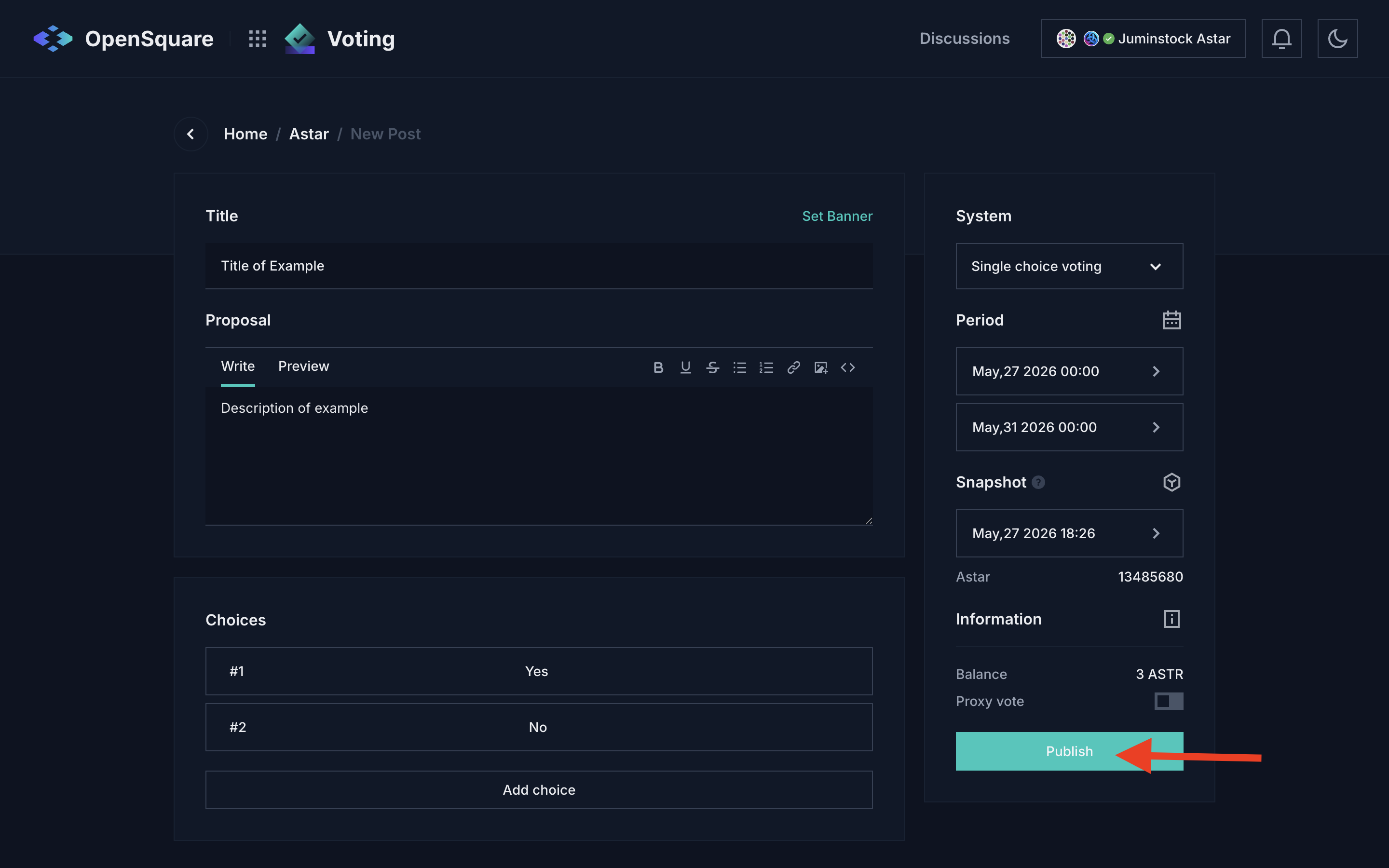
Review all fields, then click Publish. Your wallet will sign the transaction. Once published, share the OpenSquare link in your forum thread so the community can vote.
3. Voting
ASTR holders vote on the proposal through OpenSquare during the 7-day voting period. Voting power is calculated from the snapshot taken at the moment the proposal is published.
4. Enactment
If the proposal is approved and requires onchain implementation, notify the Astar Foundation via the Astar Forum or Astar Discord. The Foundation will implement the decision unless it is deemed harmful to the network or ecosystem.